Overhead camera setup for tutorials with just a phone
By Ian Naylor ·
Drafted with AI assistance, then fact-checked and edited by Ian Naylor before publishing.
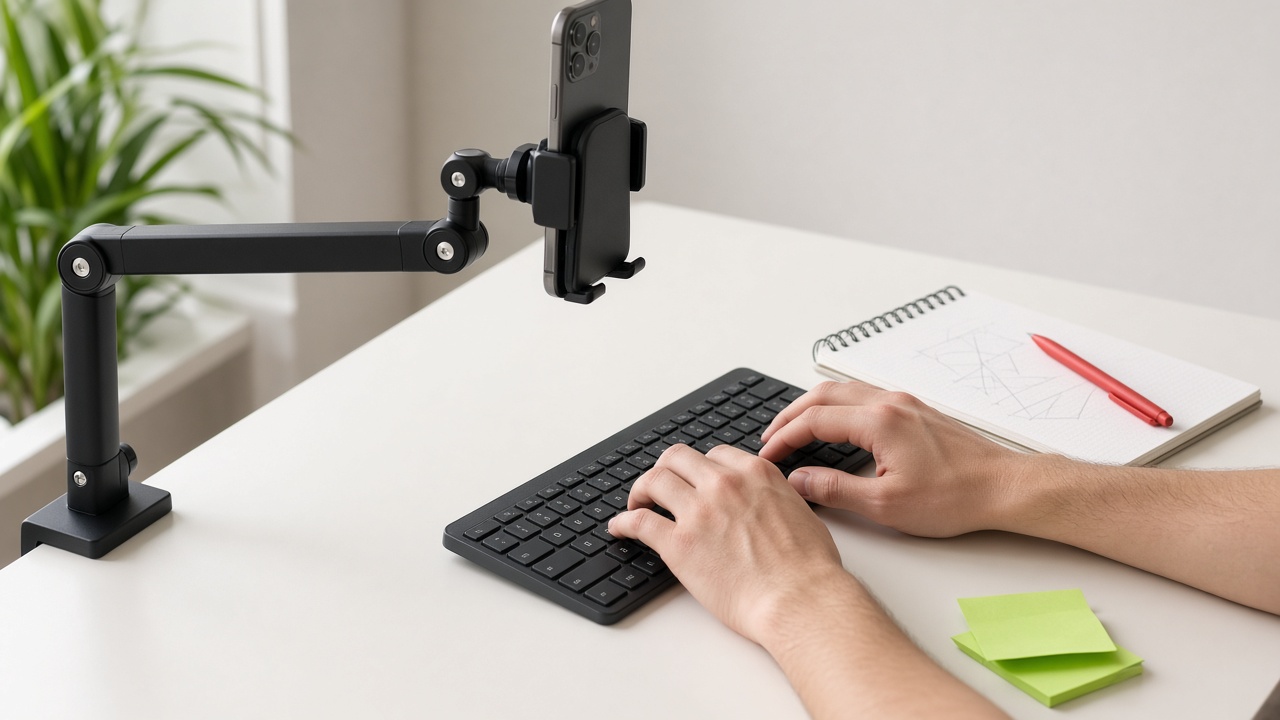
An overhead camera setup shows what your hands are doing: plating a dish, typing a shortcut, cutting fabric, fingering a chord, solving an equation. It is the angle that turns "watch me talk about it" into "watch me do it", and it is the single most useful second angle for tutorials, recipes, crafts and product videos. The good news is that you do not need a dedicated camera. A phone, something stable to hold it and a bit of light will do.
This guide covers why overhead shots are hard to get right, what you need, the mounting options, step-by-step setup, lighting and framing, and how Shot.video's AI cuts to the overhead angle automatically when you look down at your hands.
Why overhead shots are harder than they look
- Getting the camera above the work is awkward. Tripods are built to point forwards, not down, and a phone leaning on a stack of books drifts.
- Your head gets in the way. Lean forward and the shot becomes the top of your head.
- Shadows. Ceiling lights and lamps behind you put your hands in your own shadow.
- Syncing a separate recording. If the overhead phone records on its own, you have to line it up with your face camera and screen later, by hand.
- Choosing when to cut. Even with everything lined up, deciding when to switch to overhead and back is slow editing work.
What you need
- A phone. Yours, an old spare or a friend's. With Shot.video, any phone becomes a camera by scanning a QR code, with no app to install.
- Something stable to hold it directly above the work area (options below).
- Soft, even light from in front of you or from both sides.
- A clear surface in a plain colour, so the work stands out.
- Your laptop for the screen, front camera and mic, so the overhead shot sits alongside your face and screen in one recording.
Phone mounting options
There is no single right mount. What matters is that the phone is stable, level, in landscape and pointing straight down. Common approaches:
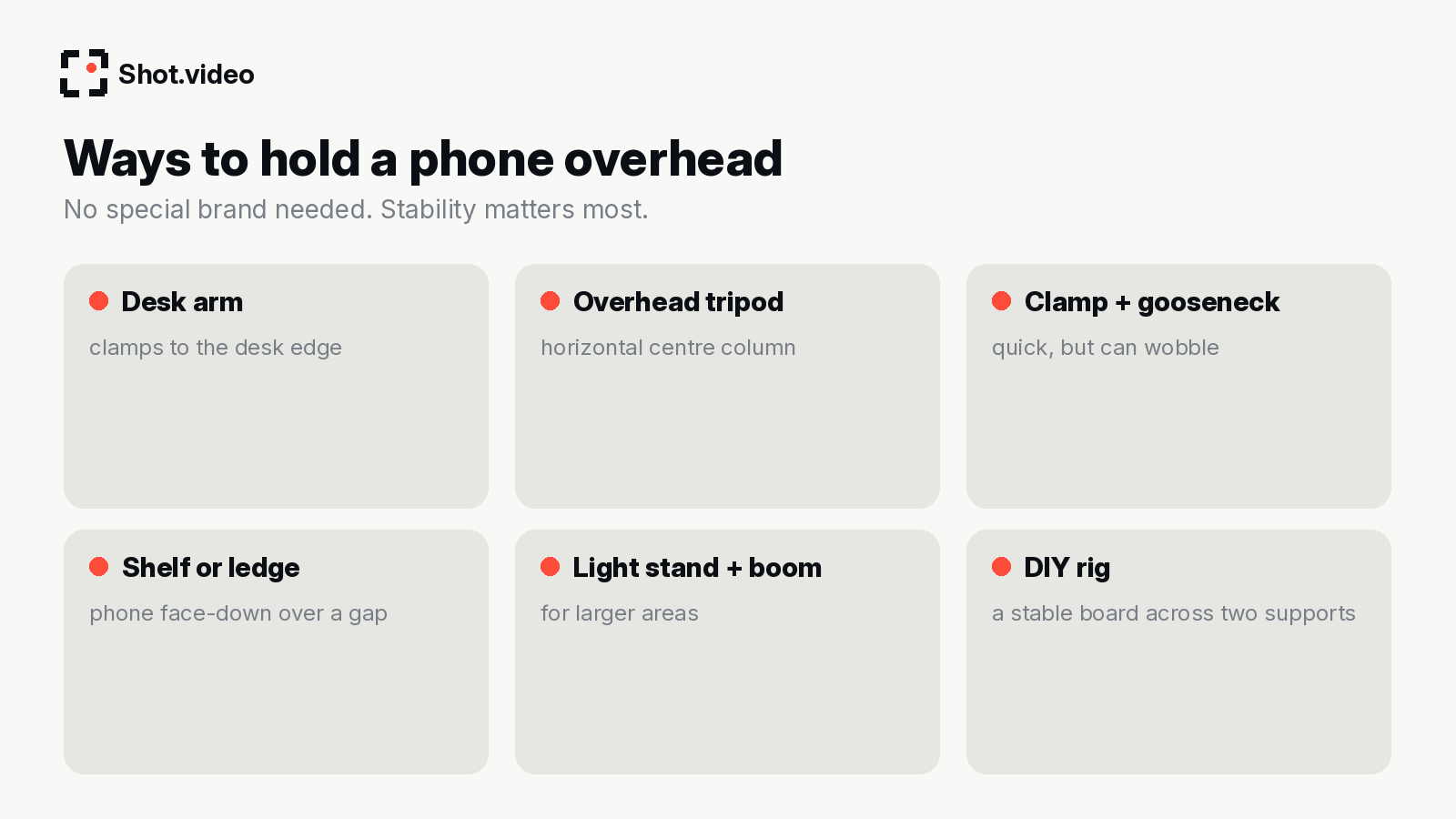
- Desk arm: clamps to the desk edge and reaches over the work. Tidy and adjustable.
- Overhead tripod: a tripod whose centre column can swing horizontal.
- Clamp and gooseneck: quick and cheap, but long goosenecks can wobble when you type or chop.
- Shelf or ledge: if a shelf sits above your work area, the phone can rest face-down over a gap.
- Light stand with a boom: covers larger areas such as a kitchen counter or a craft table.
- DIY rig: a stable board across two supports with a hole for the lens works surprisingly well.
Whatever you use, check it before you hit record: tap the desk and watch the preview. If the picture shakes, tighten or shorten the mount.
Step-by-step setup
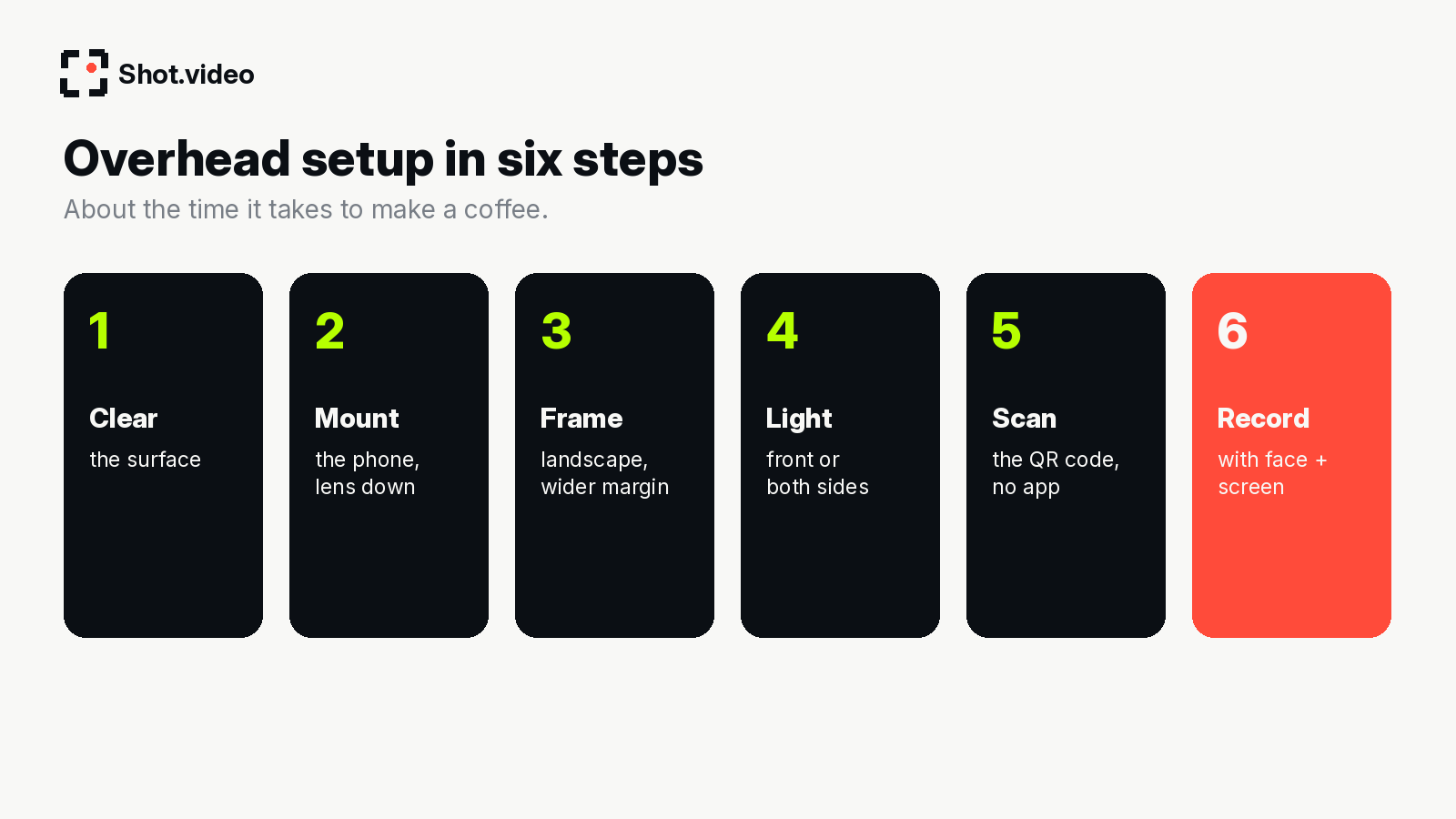
- Clear the surface. Overhead shots show everything, from cables to coffee rings.
- Mount the phone lens-down, directly above the centre of the work area.
- Frame in landscape, slightly wider than your hands move.
- Light it from the front or both sides.
- Connect it. In Shot.video, scan the QR code with the phone. No app is needed; the phone's browser records its camera.
- Record with your other angles. One button records the overhead phone, your laptop camera, your screen and audio together, in sync. You can add other phones too, for two to five angles in total.
Framing the overhead shot
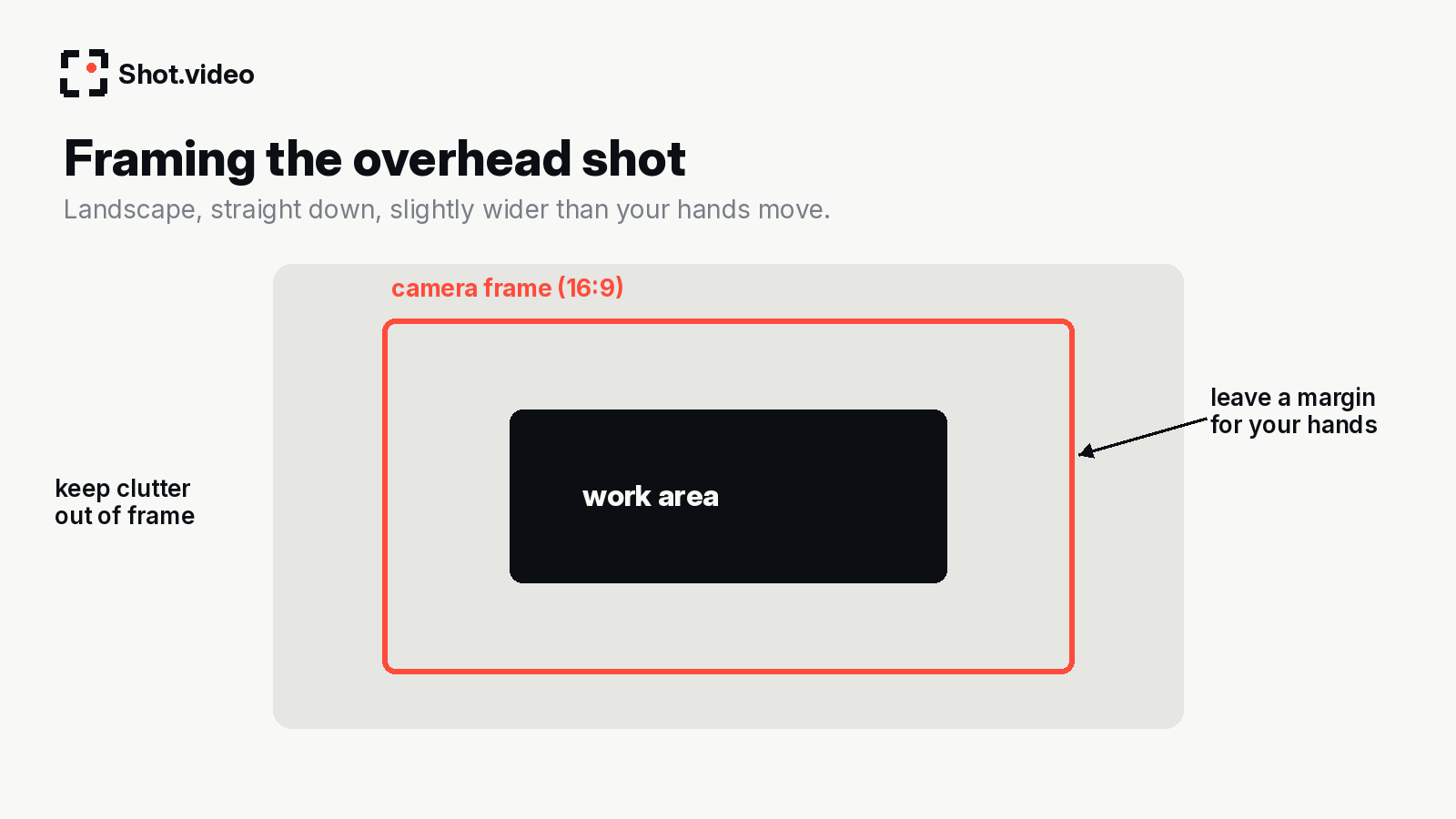
- Straight down beats angled. A true top-down view looks deliberate; a slight tilt looks accidental.
- Leave a margin. Hands move further than you expect. Frame a little wider than the work itself.
- Square up to the edges. Line up the board, keyboard or page with the frame for a clean, designed look.
- Mark positions with tape so every recording session matches the last.
Lighting the overhead angle
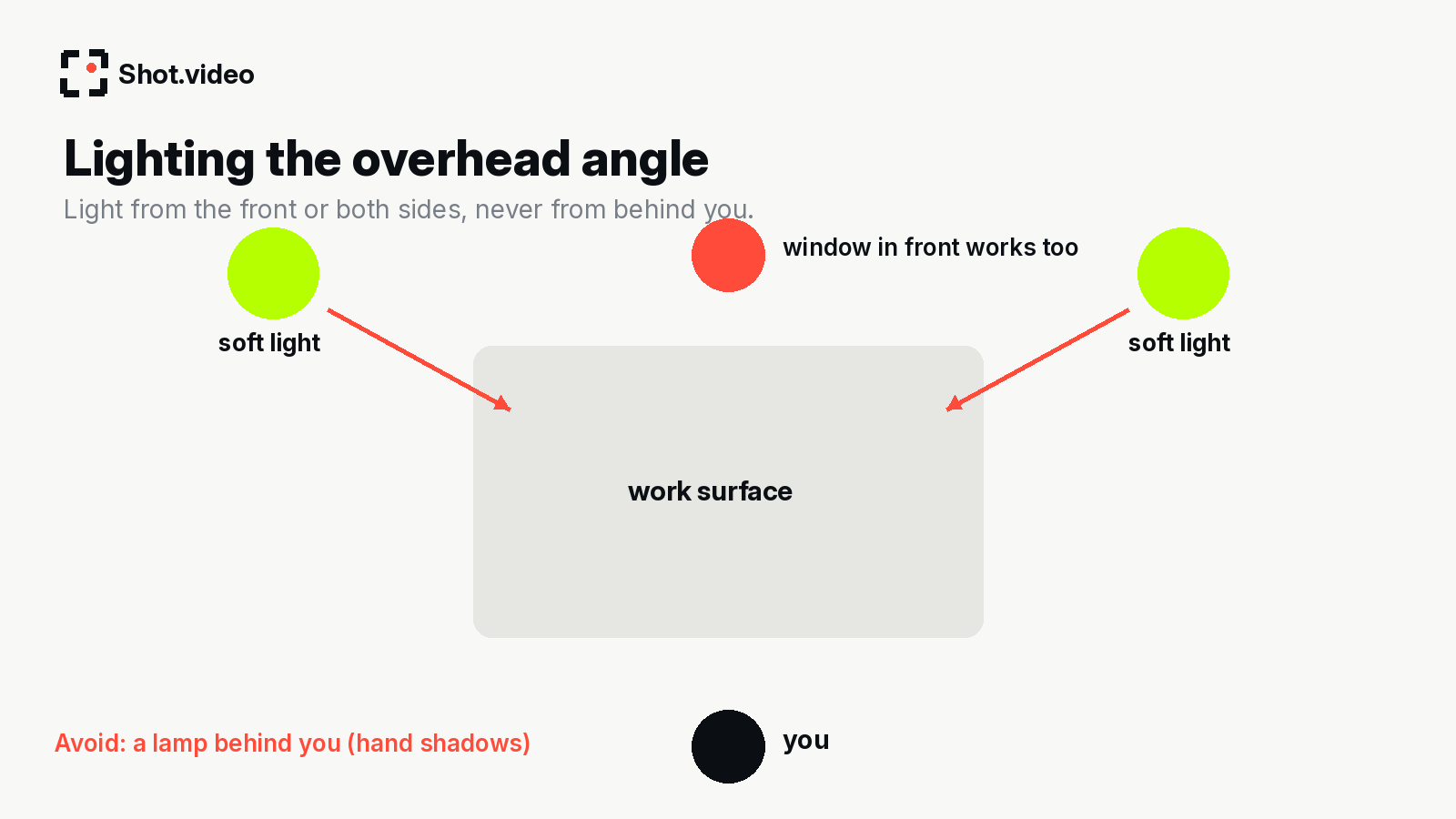
The most common overhead problem is your own shadow. Put the light in front of you (a window is ideal) or use two soft lights at either side. Diffuse harsh bulbs with a white sheet or baking paper. Shiny surfaces such as packaging, glossy plates and screens reflect; tilt them slightly or move the light to the side until the glare disappears. Your laptop mic plays under every shot, so a quiet, soft-furnished room helps the audio as much as the light helps the picture.
How Shot.video cuts to the overhead angle
Here is the part that saves the most time. Shot.video's AI cuts between angles to keep the story going, including when you look into a different camera. In practice, when you look down at your hands, the edit moves to the overhead shot; when you look back up to explain, it returns to your face. You direct the edit simply by where you look, rather than by cutting a timeline afterwards.
On top of the cuts, the AI glides in on the part of your screen that is changing (useful if you switch to software mid-tutorial), and it suggests B-roll cutaways you approve, trim, crop or move. You can also upload your own B-roll, such as close-up photos of a finished dish or product. Every choice stays editable. For more on multi-angle recording in general, see the multi-camera recording guide and how to use your phone as a second camera.
Overhead video for restaurants and food content
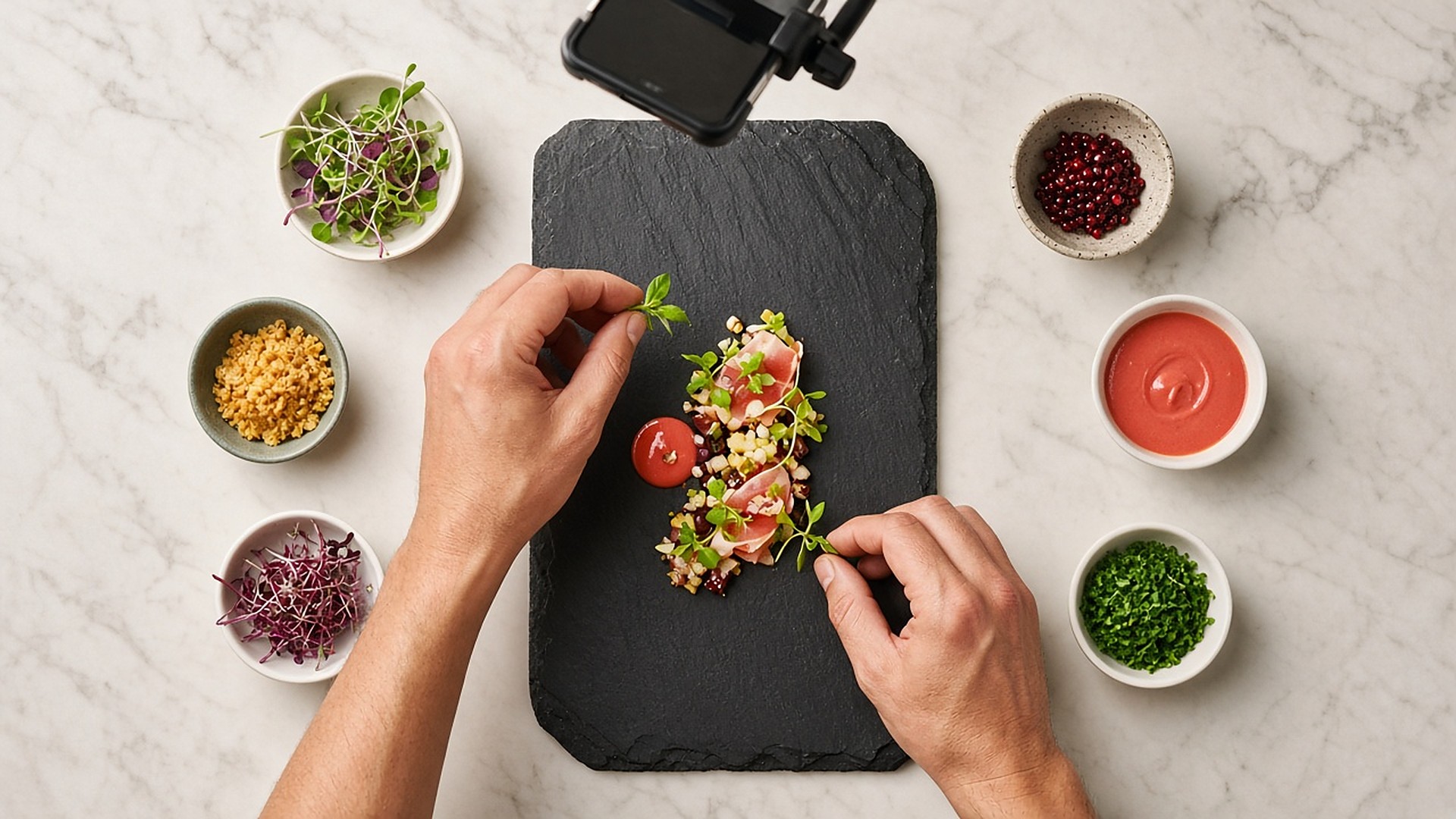
Food is where overhead video shines. Recipes, plating, a cocktail being built, a pizza being stretched or a weekly special being assembled all look better from above, and they are the kind of short, satisfying clips that work well on Instagram and other social feeds. For restaurants, cafés and food brands, an overhead phone is an easy way to film regular content without a crew.
- Use a plain board or counter (slate, wood or marble) so the colours of the food stand out.
- Prep ingredients into small bowls around the edge of the frame: it looks good and keeps hands moving to the centre.
- Add a face-on angle for the chef or owner to introduce the dish. Look up to talk and the edit cuts to you; look down to plate and it cuts to overhead.
- Film the finished plate up close with a second phone for the final reveal.
- Shoot near a window during quiet hours for soft, natural light.
A single recording can give you a longer "how we make it" video for your website or app and several short clips for social. If you are filming a series for a business, keep the rig and lighting the same each time so the content looks consistent. For more on review and product reveals, see review and unboxing videos.
Other things to film overhead
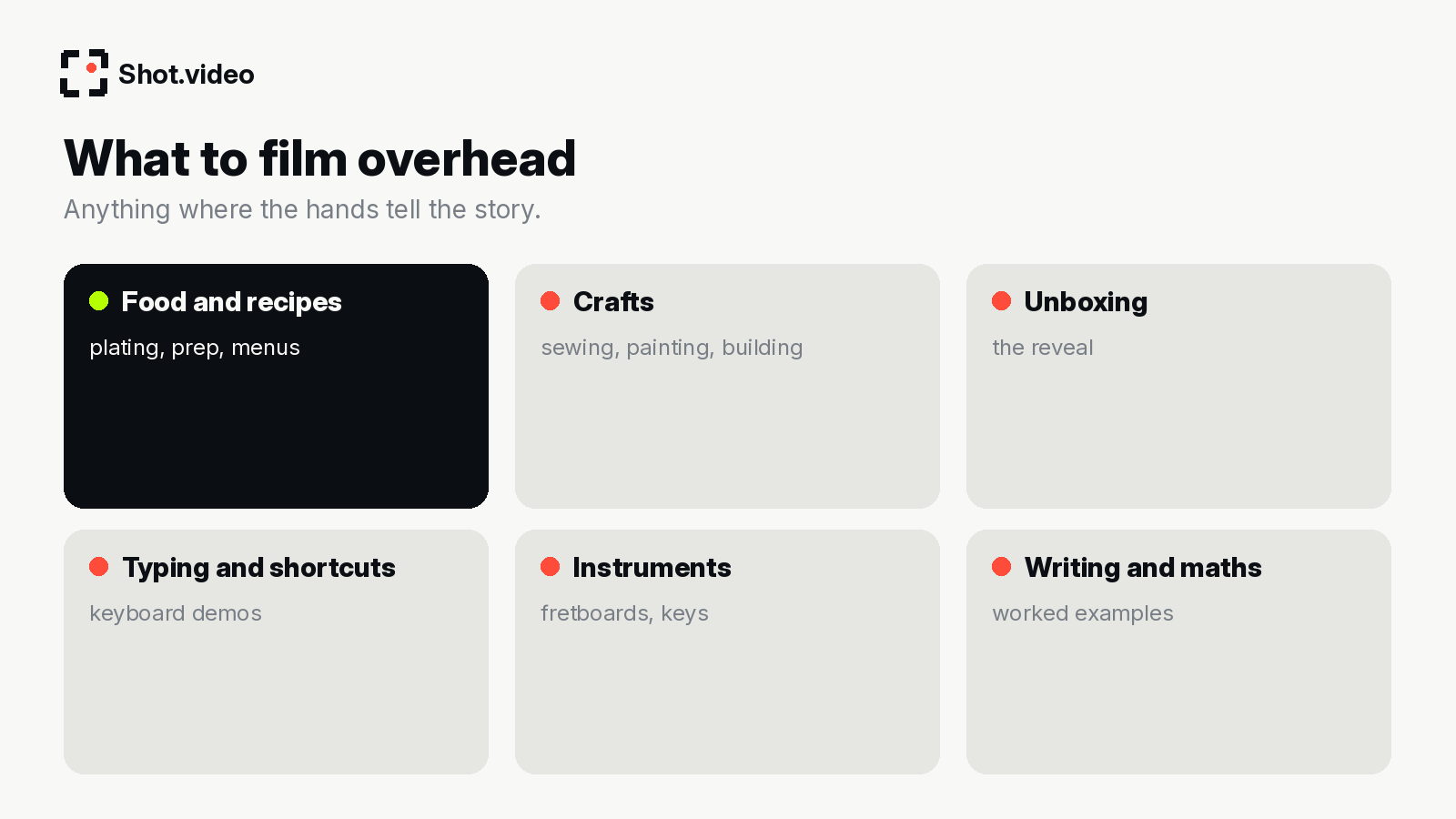
- Crafts: sewing, knitting, painting, model-making, calligraphy.
- Unboxing: the reveal from above, then close-ups of the details.
- Typing and keyboard demos: show shortcuts that are invisible in a screen recording. Pairs well with tutorial and walkthrough videos.
- Instruments: piano keys, fretboards, drum pads, synth controls.
- Writing and maths: worked examples on paper for course lessons.
- Hardware and products: assembling, connecting cables or setting up a device for product demo videos.
Mistakes to avoid
- Portrait phones. Landscape matches the final frame.
- Wobbly mounts. Tap-test before recording.
- Lights behind you. Your hands end up in shadow.
- Cluttered surfaces. Overhead shows everything.
- Leaning into the frame. Keep your head back; let your hands do the work.
- Rushing. Slow, deliberate hand movements read better and give the edit natural moments to cut.
- Forgetting notifications. Turn on Do Not Disturb on the overhead phone and plug it in for long sessions.
FAQ
What is the cheapest overhead camera setup?
A phone you already own, held steady by a shelf, a DIY board or an inexpensive arm or clamp, with light from a window in front of you.
Does the overhead phone need an app?
No. With Shot.video the phone joins by scanning a QR code and records in its browser.
Can I use more than one phone?
Yes. You can connect two to five phones, for example overhead, a close-up and a side angle, and record them all in sync with your laptop.
How does the edit know when to show the overhead shot?
The AI cuts to the camera you are looking at, so looking down at your hands brings in the overhead angle. You can change any cut afterwards.
Is overhead video good for restaurant social media?
Overhead food shots are a popular format for recipe and plating content, and they are easy to film consistently with a mounted phone.
Make your next video your best one yet
Your laptop. Your phone. Your screen. One recording. AI does the editing. Mount a phone overhead, scan the QR code and press record once. Get started free with Shot.video.