How to use your phone as a second camera (no app needed)
By Ian Naylor ·
Drafted with AI assistance, then fact-checked and edited by Ian Naylor before publishing.
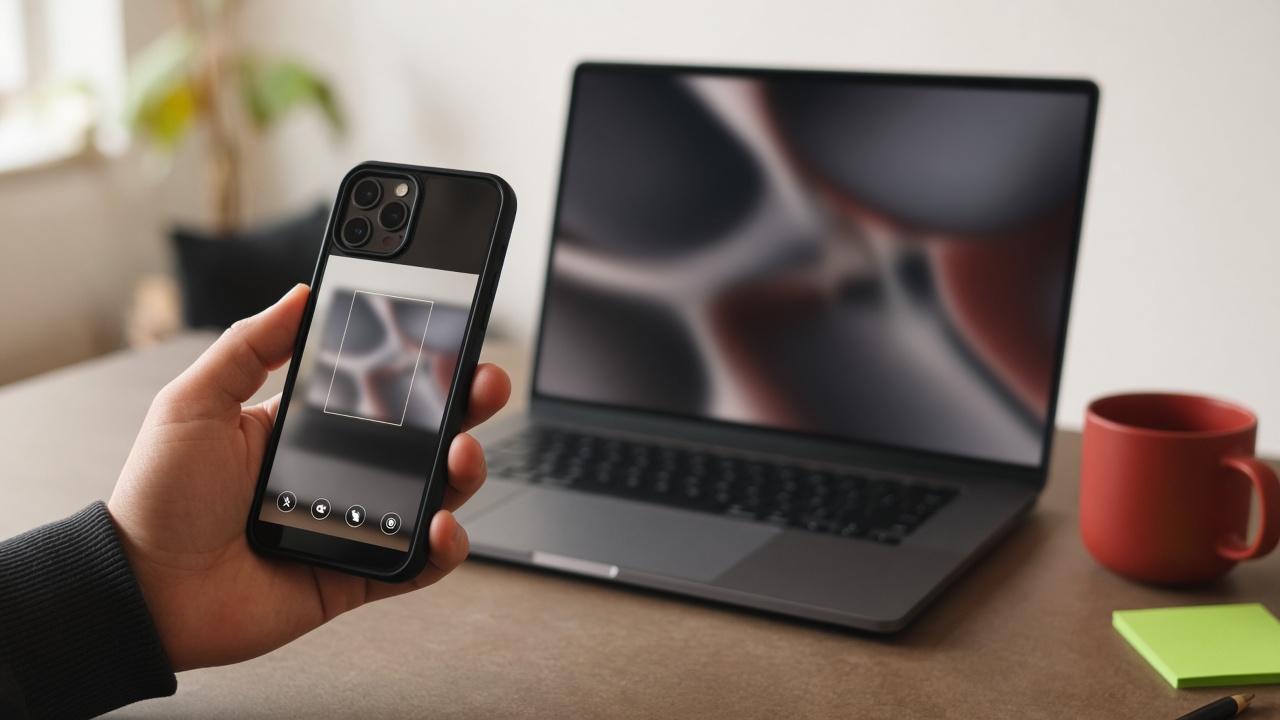
If you want to use your phone as a second camera, you have more options than ever. Most involve installing an app on the phone and software on your computer. This guide shows a no-install way, compares it with the popular app-based tools, and covers placement and lighting so the second angle actually looks good.
Why a phone makes a great second camera
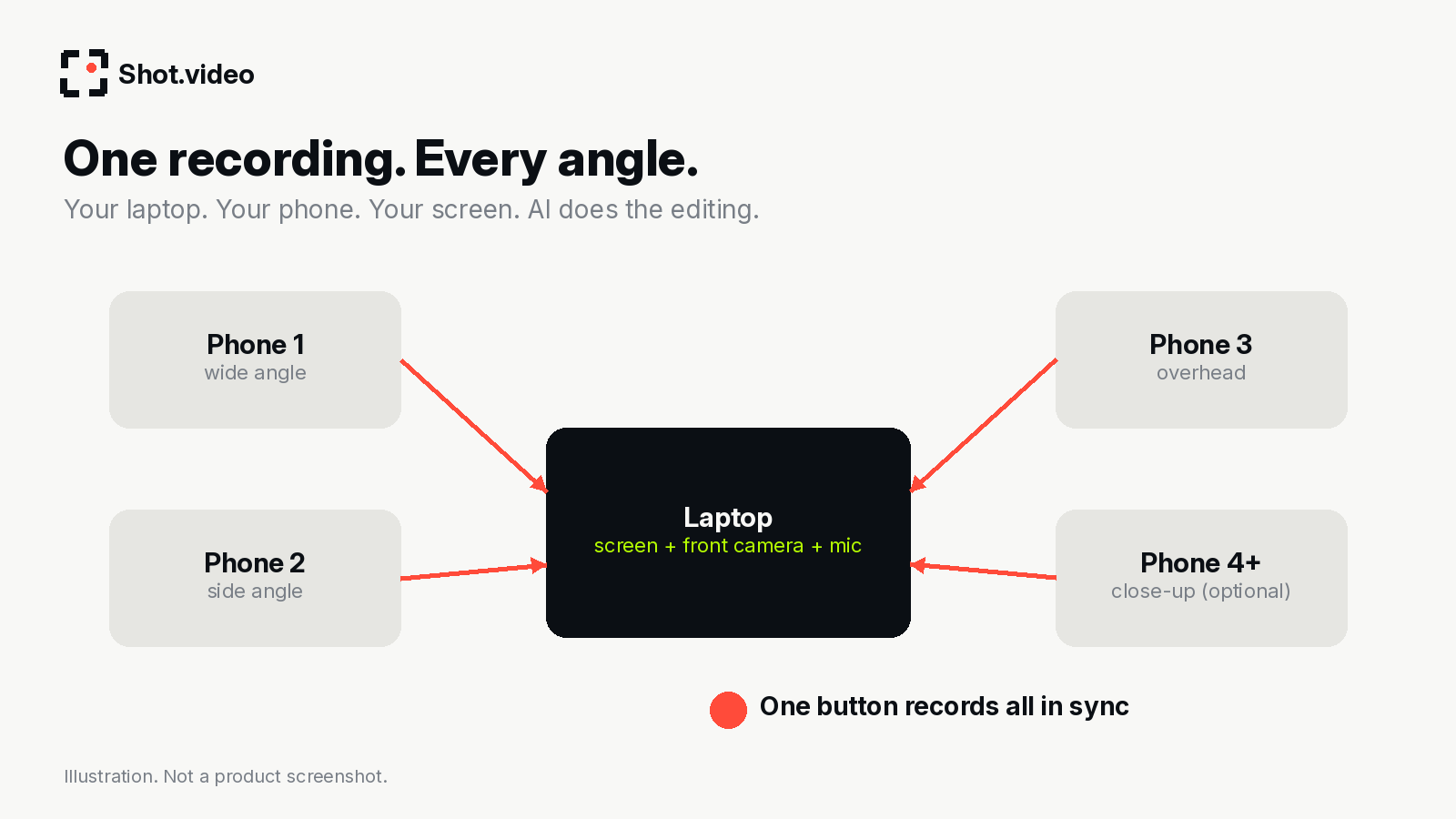
- You already own it, and maybe a spare old one too.
- Phone cameras are often sharper than built-in laptop webcams.
- It is small, so you can put it overhead, at 45° or right next to a product.
- A friend's phone works too, which makes a third angle easy.
Option 1: no app, just a QR code
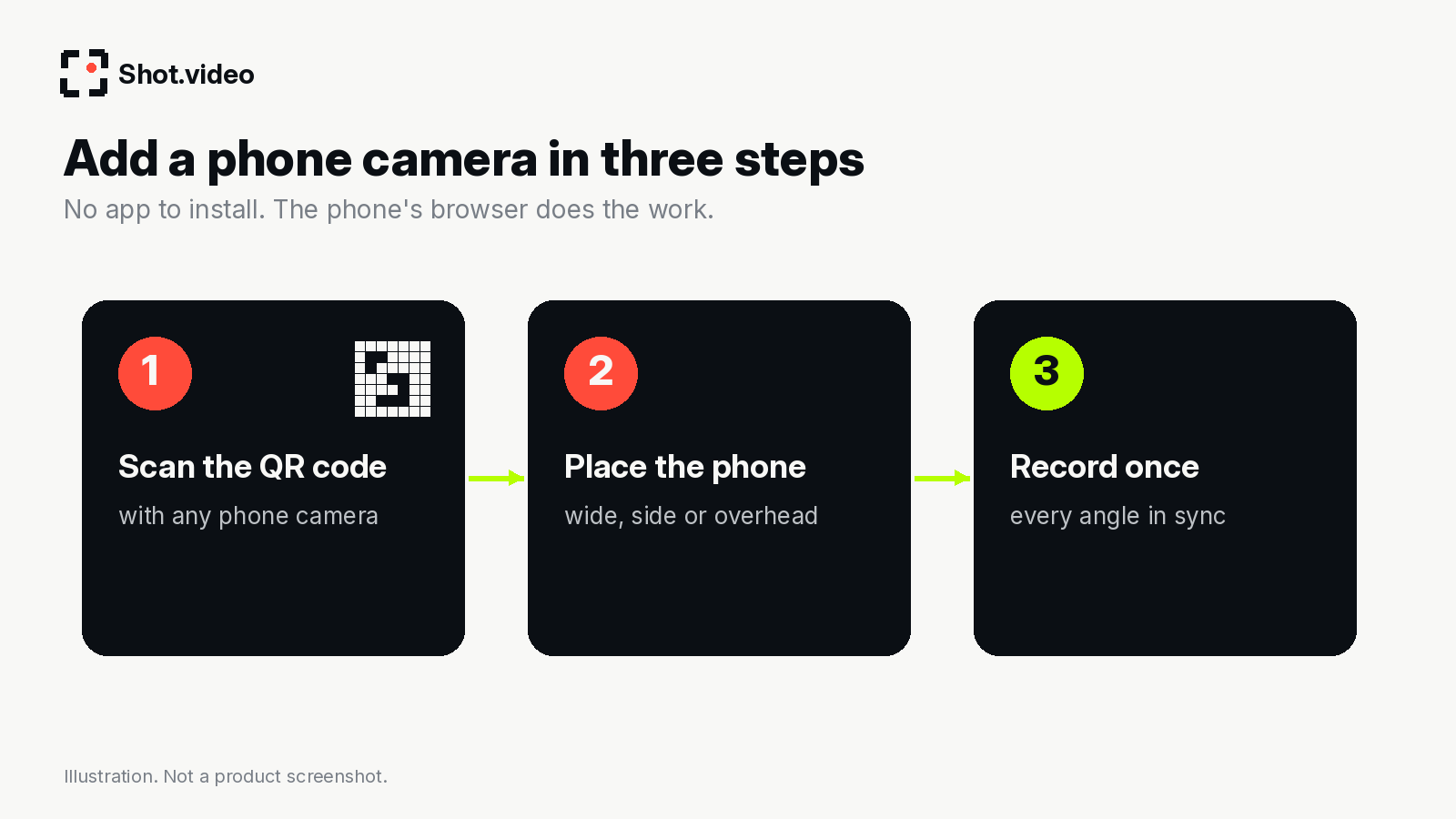
With Shot.video, any phone becomes a camera by scanning a QR code, with no app to install. The phone's browser records its camera, and the recording joins your screen and laptop camera in the same session, in sync. You can connect one or more phones.
- Start a recording session on your laptop.
- Open the phone camera and scan the QR code shown.
- Place the phone (see positions below) and check the framing.
- Repeat for any other phones.
- Record once. Cameras, screen and audio are captured together.
- Let AI cut between the angles, including when you look into a different camera, then tweak anything you like.
Because nothing is installed, it also works when you borrow a phone for one session.
Option 2: phone-as-webcam apps
These tools turn a phone into a webcam that other apps (Zoom, OBS, recorders) can see. Check each vendor's page for current requirements:
| Tool | What the vendor's page says you install |
|---|---|
| Iriun Webcam | Install Webcam for Windows, Mac or Linux and download the Iriun Webcam app to your phone. |
| Camo | Desktop downloads for macOS and Windows; supported by major conferencing, recording and streaming apps. |
| Apple Continuity Camera | Built into Apple devices: iPhone XR or later on iOS 16+, Mac on macOS Ventura 13+, one iPhone and one Mac at a time. |
These are great if you want your phone to replace your webcam in live calls. For recording multi-angle videos, though, they give you a camera feed, not an edited multi-angle video. You still need a recorder and an editor to cut between angles.
Where to put the second camera
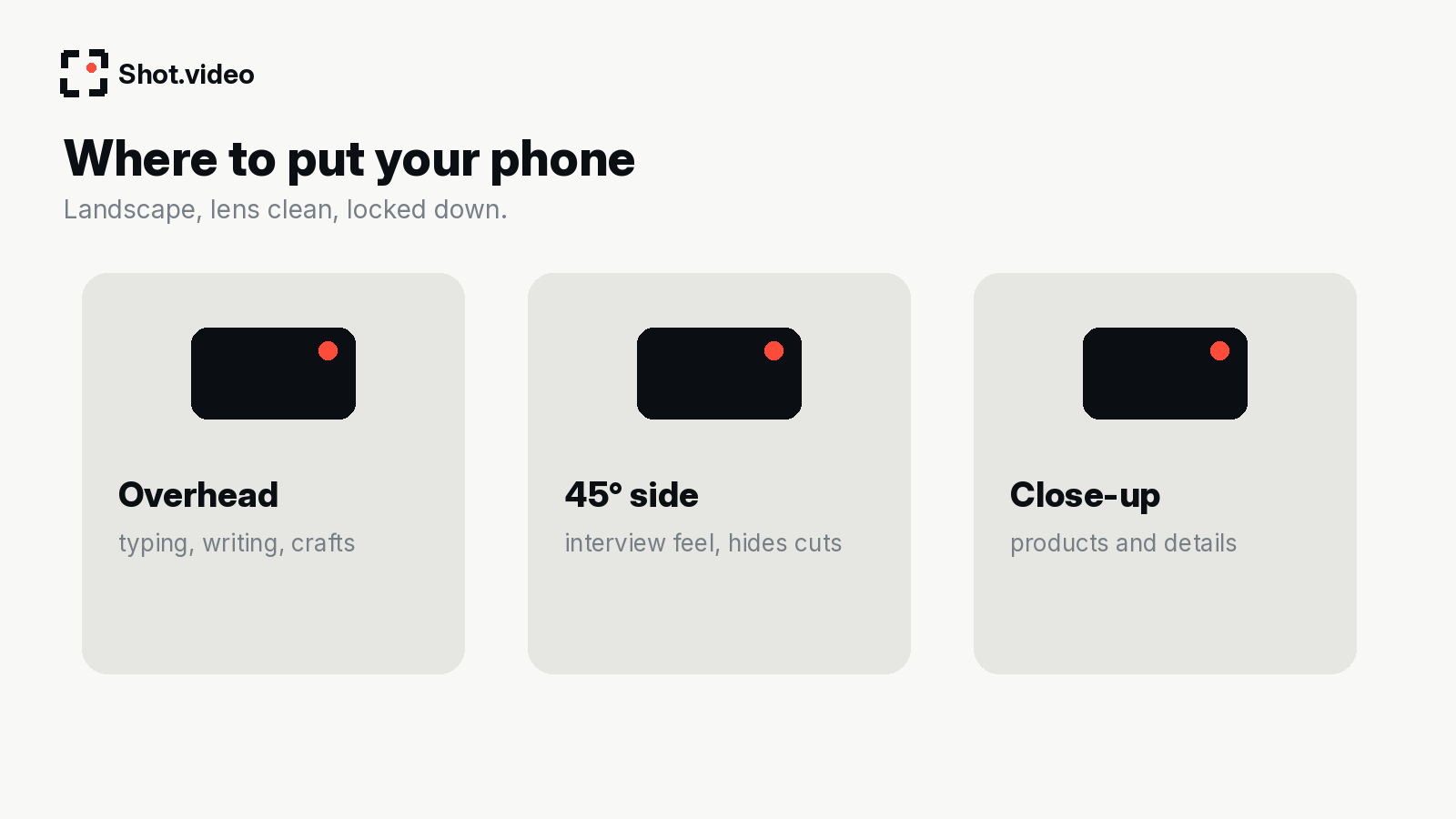
- Overhead for typing, writing, crafts and unboxing. See the overhead camera setup guide.
- 45° to the side for an interview feel and to hide cuts.
- Close-up on a product or device you are demonstrating.
Make the phone angle look good
- Landscape, always.
- Wipe the lens.
- Lock it down: a cheap clamp or tripod beats leaning it on a mug.
- Face a window or soft light.
- Plug it in for long sessions and turn on Do Not Disturb.
FAQ
Can I use an Android phone?
The QR method runs in the phone's browser. Check shot.video for current device guidance.
Can I use more than one phone?
Shot.video says you can connect one or more phones.
Does audio come from the phone?
Shot.video's synced audio uses your laptop mic under every shot, lined up with each camera.
Next: the complete guide to multi-camera recording and how to record a product demo.
Make your next product video your best one yet. Scan a QR code to connect a phone, record your screen, laptop camera and phones together, and let AI put together a polished first edit with smart cuts, zooms and B-roll. Get started free with Shot.video.
Sources
- Shot.video (checked 29 October 2026)
- Iriun Webcam (checked 29 October 2026)
- Camo (checked 29 October 2026)
- Apple Continuity Camera (checked 29 October 2026)